RootJunky FRP Bypass APK is a popular free tool for bypassing Google Factory Reset Protection (FRP) on Android devices. It’s often used when users forget their Google account, buy a second-hand phone, or inherit a device without account details. This guide covers how the tool works, its key features, step-by-step usage, safety tips, and the best alternative FRP bypass solutions in 2026.
Part 1: What Is RootJunky FRP Bypass APK?
The RootJunky FRP Bypass APK is a lightweight Android application created to help users bypass Google FRP locks on Samsung devices. It is commonly associated with the RootJunky developer community and is distributed through third-party sources such as rootjunkysdl frp bypass and frp rootjunkysdl com.
Rather than removing FRP at the system level, the APK exploits specific loopholes and setup wizard vulnerabilities found in older Samsung firmware versions. During the initial device setup after a factory reset, access to system settings is normally restricted until the original Google account is verified. The RootJunky FRP Bypass APK works by opening hidden system components, browser windows, or settings menus that are typically blocked at this stage.
Once access is gained, users can add a new Google account to the device. After a reboot, the device accepts the newly added account, effectively bypassing the original FRP lock. This method was particularly effective on older Samsung Galaxy models, but its success rate depends heavily on the Android version and security patch level.

How RootJunky FRP Bypass Works
In practical terms, RootJunky FRP Bypass APK interrupts the normal setup flow. After connecting the device to Wi-Fi and reaching the Google verification screen, the tool enables limited access to system settings. From there, users can complete account configuration without verifying the original Google credentials.
Key Features of RootJunky FRP Bypass APK
- Designed specifically for Samsung Android smartphones and tablets
- Extremely lightweight APK with minimal storage and memory requirements
- Does not require rooting the device
- No PC required in most common usage scenarios
- Compatible mainly with Android 5.0 to Android 8.1
- Commonly used alongside OTG cables, accessibility features, or Samsung Internet Browser exploits
- Widely shared under filenames such as rootjunkysdl frp bypass apk
Pros and Cons of RootJunky FRP Bypass APK
Pros
- Completely free to download and use
- Simple concept with relatively easy steps
- Effective on many older Samsung Galaxy devices
- No advanced technical skills required
- No registration, login, or license activation needed
Cons
- Very limited compatibility with newer Android versions and Samsung One UI
- No official developer support or regular updates
- Security risks due to unofficial and unverified APK sources
- High failure rate on devices with recent security patches
- Frequently blocked by Samsung firmware updates
Part 2: Is RootJunky Tool Free & Safe to Use?
From a cost perspective, the RootJunky FRP Bypass APK is entirely free. It is commonly available on Android forums, tutorial websites, and file-sharing platforms. There are no subscription fees, activation keys, or hidden payments required.
Safety, however, is a more important concern. Because the APK is not distributed through the Google Play Store, it does not undergo Google’s security review process. As a result, users must rely on third-party websites for downloads. In many cases, modified or repackaged versions of the rootjunkysdl frp bypass apk may contain malware, intrusive ads, or background services that compromise privacy and device security.
Additionally, bypassing FRP may violate manufacturer policies or local laws in certain regions. Users should only attempt FRP bypass on devices they legally own or have explicit permission to unlock. From a practical standpoint, RootJunky FRP Bypass APK is also becoming increasingly unreliable in 2026 as Samsung continues to strengthen Android security and close known exploits.
Part 3: How to Use RootJunky to Bypass Samsung FRP Lock – Step-by-Step Guide
Below is a generalized overview of how users typically attempt to bypass Samsung FRP using the RootJunky FRP Bypass APK. Actual steps may vary depending on device model, Android version, and available vulnerabilities.
Step-by-Step Instructions
- Perform a factory reset on the Samsung device
- Power on the phone and begin the initial setup process
- Select your language and connect to a stable Wi-Fi network
- Stop at the Google account verification screen
- Use an OTG cable, accessibility shortcut, or Samsung Internet Browser method to download the rootjunkysdl frp bypass apk
- Enable installation from unknown sources when prompted
- Install and launch the RootJunky FRP Bypass APK
- Access the device settings through the app interface
- Add a new Google account to the device
- Restart the phone and complete setup using the newly added account
If the process fails at any step, it usually means the firmware has patched the vulnerability required for the bypass. This is common on newer Samsung models and updated Android versions.
Part 4: Best Alternative to RootJunky FRP Bypass Tool – PassFab Android Unlock
As Android security continues to evolve, many users now require more reliable, secure, and consistently updated solutions. This is where PassFab Android Unlock emerges as a strong alternative to the RootJunky FRP Bypass APK.
PassFab Android Unlock is a professional desktop-based tool designed to remove Google FRP locks as well as screen locks such as PINs, patterns, fingerprints, and facial recognition. Unlike free APK-based methods, PassFab uses proprietary unlocking technology and is actively maintained to support the latest Samsung models and Android versions.
Why Choose PassFab Android Unlock?
- Supports a wide range of Samsung devices, including newer models
- Fully compatible with modern Android and One UI versions
- Significantly higher success rate than APK-based FRP bypass tools
- No need for OTG cables, hidden menus, or manual exploits
- Clear step-by-step on-screen instructions suitable for beginners
- Regular software updates and professional customer support
How to Use PassFab Android Unlock to Bypass Google FRP
Download, install, and launch PassFab Android Unlock on your device.
Choose “Remove Google Lock (FRP)” from the main interface.
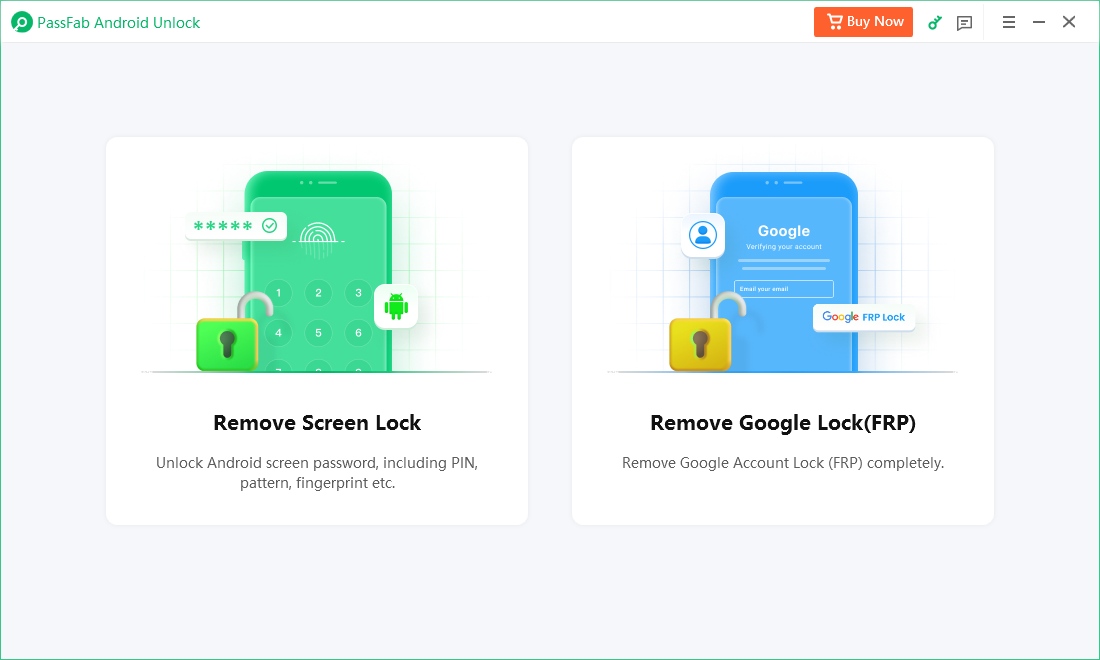
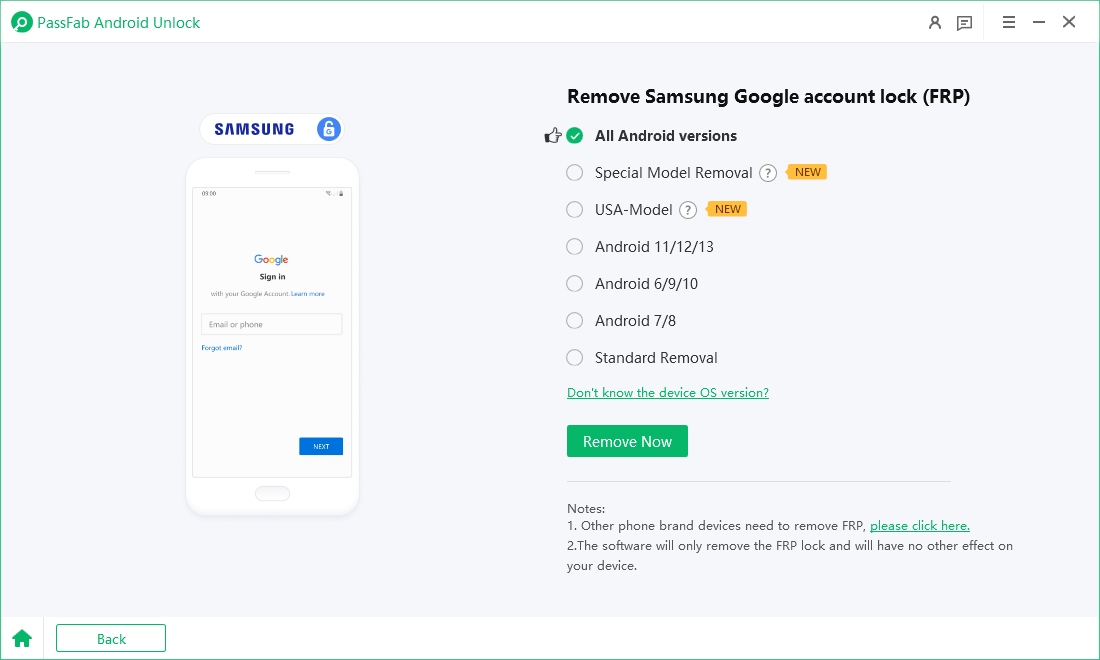
Connect your Android device using a USB cable and select the OS version of your device, and click the “Remove Now” button.
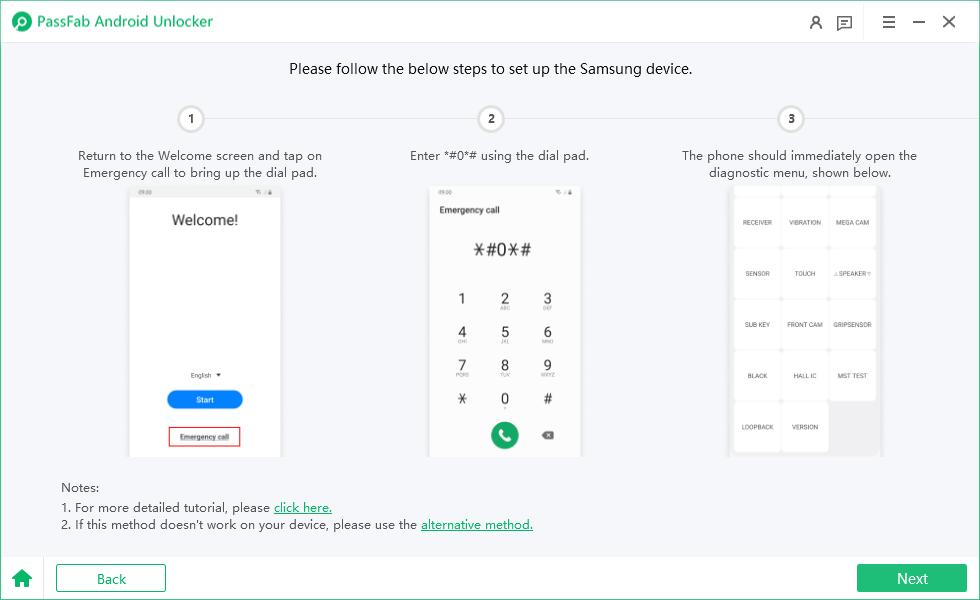
Now, follow the on-screen instructions to set up your Samsung device. Click on “Next” to begin the process.
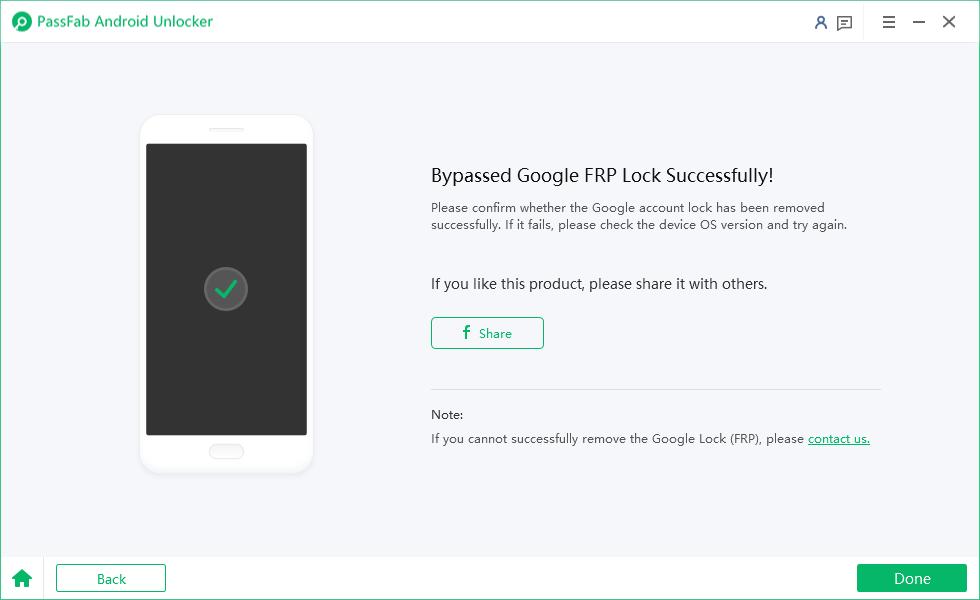
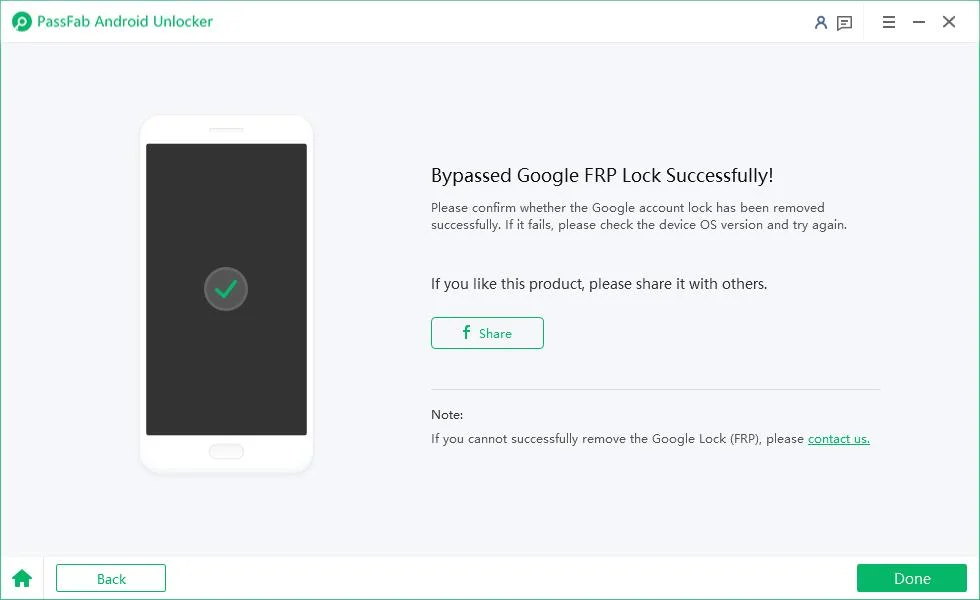
Once the FRP lock is removed from your device, a success interface will appear. Click “Done” to complete the process.


Final Words
RootJunky FRP Bypass APK once helped users unlock FRP‑locked Samsung devices, especially on older Android versions, which is why related search terms remain popular. However, by 2026 its drawbacks are clear—no updates, higher security risks, and poor compatibility with newer Samsung models.
For users who want better success rates, stronger security, and long‑term reliability, professional tools like PassFab Android Unlock are a more dependable choice. Ultimately, the best FRP bypass method depends on your device, Android version, and risk tolerance.
PassFab Android Unlocker
- Best FRP Remover tool for Samsung/Android phones
- One click bypass Google FRP on Samsung devices (Android 5.1-16.0)
- Remove Android password, pattern, PIN, and fingerprint lock just one click away
- Bypass FRP lock on Samsung , Xiaomi, Redmi, Vivo, OPPO, Huawei,etc. without password or Google account
PassFab Android Unlocker has Recommended by many medias, like macworld, makeuseof, appleinsider, etc.






Senior Tech Writer & iOS Security Specialist
Andy Samuel has spent the last 6 years testing iOS unlock methods, FRP bypass tools, and Windows system utilities across real devices. He's reviewed dozens of paid and free tools, and his guides lean on step-by-step screenshots taken on the actual firmware version he covers. Outside of writing, he keeps a small home lab of test phones and laptops so every fix gets verified before it ships.